


Photo Lock App - Hide Pictures
4.64.63K Reviews
App Specs
- Version
- 2.1.14
- Updated On
- License
- Free
- Downloads
- 100,000,000+
- Developer
- Battery Stats Saver
- Categories
- Personalization
- Platform
- Android, iOS
Screenshots
 Analysis by AppCompare
On a shared phone, privacy can be less about hiding something dramatic and more about keeping personal photos out of casual browsing. A relative might borrow your device to look at one picture, or a child might scroll through the gallery while you are nearby. I find Photo Lock App - Hide Pictures most useful in that ordinary gap between handing over a phone and wanting to supervise every swipe. It is a personalization app from Battery Stats Saver, and its focus is keeping selected pictures and videos apart from the everyday gallery.
When a phone gets passed around
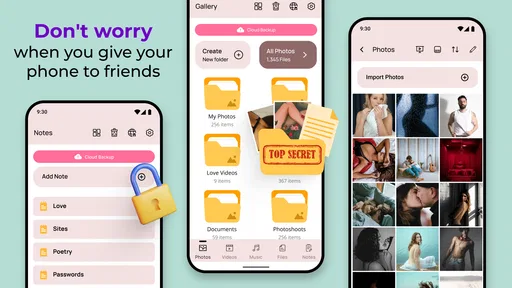
The app makes sense for someone who lends a phone now and then but does not want every album available during that handoff. For example, I might let a family member use my phone to choose a photo for a message, while keeping personal snapshots in a separate place. Moving a group of images at once is more practical than building a private collection one item at a time, especially when sorting a camera roll that has accumulated years of mixed pictures.
That separation is useful, but it is not the same as managing several people’s access. I would treat the app as a personal boundary on my device, not as a household account system. If everyone shares one device and needs their own profiles, separate device accounts or a device designed for multiple users may be a better fit. This app is most compelling when one person owns the phone and wants a private area for selected media.
Decide what belongs behind the lock
Setup centers on choosing an unlock method and importing the files you want to keep out of the regular gallery. Before I start moving pictures, I would decide whether I want a few sensitive items protected or a whole category of photos kept separate. That small bit of planning makes later browsing easier: albums can reflect a purpose, such as work documents photographed for reference or personal images, rather than becoming an unlabelled pile.
Batch importing is a useful time-saver, but it also calls for a quick check afterward. I would confirm that the images I selected appear in the private collection and that the ordinary gallery no longer shows the copies I intended to move. When a phone is shared, that follow-through matters more than the initial tap: a locked copy does not help much if the original remains visible in another album or a messaging app. I would also avoid treating a photo vault as a replacement for careful sharing habits.
Simple coordination, with clear limits
There is a practical household question behind any lock app: who knows the passcode, and who is expected to use the device? If the phone belongs to one adult, keeping the unlock method personal is a straightforward way to preserve a private space. If a partner also needs routine access to those images, it is better to agree on how they will be shared than to assume the app provides a shared-access workflow. I would not choose it as a coordination tool for a family collection that several people must manage.
The built-in camera can suit a deliberate workflow: take a picture directly into the app when you already know it should stay out of the usual gallery. That can save a later sorting step for a private note or a personal snapshot. The trade-off is that it creates another place to remember when looking for pictures. For photos meant to be edited, sent, or routinely used in other apps, the normal camera and gallery may be more convenient.
Worth Reading Before You Choose

Switching to Android Auto Means Rethinking Your Driving Routine

Google Calendar Makes a Crowded Week Easier to Manage

Baby Panda World Brings Quick Play to Modern Phones, but Its Game Library Feels Busy

ESPN’s Live Game View Makes Following Close Games Easier

QuizzLand Review: A Good Fit for Short Trivia Breaks, Not Every Player

Basketball Stars: Multiplayer Is Fast, but Can It Recover When Matches Go Wrong?
Age, trust, and sensible expectations
The app is rated for Everyone, but that label does not decide whether it is appropriate for every child or shared-device arrangement. A lock can help keep selected media private; it does not replace a conversation about what is suitable to store, who owns the phone, or what to do if someone forgets the passcode. I would keep expectations especially clear with younger users: privacy tools are not a substitute for adult guidance or a way to make a shared device risk-free.
The app has a 4.6 average from around 1.2 million ratings, which suggests many people have found the basic idea useful. It is free to install, with optional in-app purchases ranging from $0.99 to $99.99 per item. I would check the purchase details in the app before paying, rather than assume a particular feature or payment unlocks a specific promise. It supports Android 6.0 and later, and version 2.1.11 is the current version. With more than 100 million installs, it is a familiar option in a category where people often want a dedicated vault instead of relying only on general phone settings.
Locking Down Your Photos
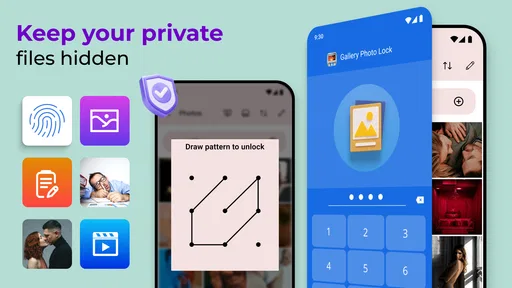
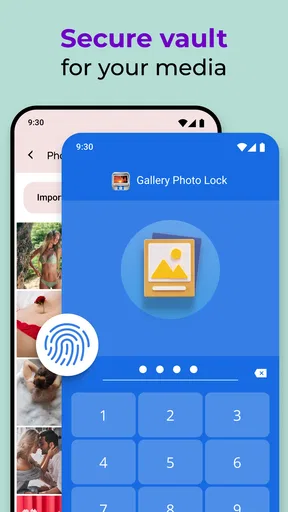
The main attraction of the Photo Lock App is its ability to secure your photos in a virtual vault. The setup is pretty straightforward. Once you install the app, you’re prompted to set a passcode. It feels like you’re setting up a secret club where only you know the password. You can even choose between a PIN, pattern, or fingerprint for unlocking, which is pretty neat if you ask me.
User Experience
Getting around the app is a breeze. The interface is clean and intuitive, making it easy to navigate. Importing photos is as simple as tapping a few buttons, and the app supports batch importing, so you’re not stuck doing it one by one. Trust me, I’ve been there, and it’s no fun. A few taps, and your photos are safely tucked away behind your chosen security method.
Features Galore
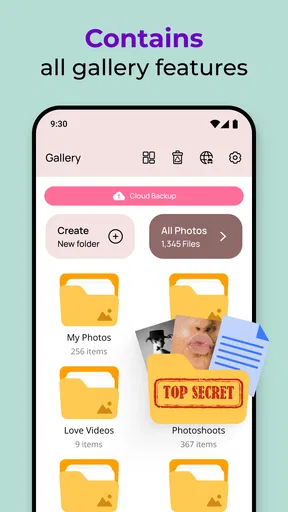
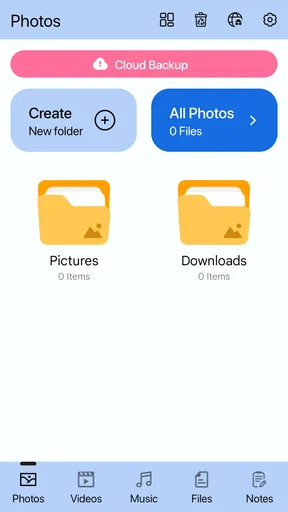
Beyond just hiding photos, the app offers a slew of features. You can organize your images into albums, which helps keep things tidy. There’s also a built-in camera functionality that allows you to snap pictures directly into the app. This means you can take photos without them ever appearing in your regular gallery. It’s like having a secret camera!
I also found the slideshow feature pretty cool. You can view your hidden photos in a slideshow mode, which is great for showing off those special memories without compromising on security.
Security Features
Security is clearly the name of the game here. The app boasts military-grade encryption, ensuring that your photos remain safe and sound. There’s even a feature that takes a photo of anyone who tries to break into the app with the wrong password. It’s like having your own personal detective on the case. The app also supports cloud backup, so you won’t lose your photos if you switch phones or delete the app by mistake.
A Few Things to Consider
Now, no app is perfect, right? While the Photo Lock App is pretty solid, there are a couple of things to keep in mind. For starters, if you’re someone who loves free stuff, the ads in the free version might get a little annoying. However, there’s an option to go ad-free with a premium version. Also, while the app’s security features are robust, it’s always good practice to keep a backup of your photos elsewhere, just in case.
Choosing it over built-in options
Compared with the usual alternatives, a dedicated vault offers a focused place for selected pictures and videos, while a phone’s built-in privacy or hidden-album tools may be quicker if you only need a basic separation. The right choice depends on the routine: I would lean toward this app when I want albums, a direct-to-vault camera workflow, and a separate viewing space. I would favor the phone’s own tools when fewer steps and fewer apps matter more, or when a household needs boundaries tied to separate user profiles rather than one app passcode.
There is also a useful distinction between hiding and backing up. A private vault helps control what appears during casual use of the gallery; it should not be the only copy of anything irreplaceable. Before switching phones or removing an app, I would make sure I understand how my files are preserved and can be retrieved. The app’s cloud-backup support is reassuring, but I would still verify my own backup routine instead of assuming that every move or deletion is automatically recoverable.
A practical routine for a shared device
Imagine I am visiting family and pass my phone around to show pictures from a recent gathering. Before that visit, I can move personal images into the vault, leave the photos I am happy to share in the ordinary gallery, and put related private images into a clearly named album. When someone asks to see a particular memory, I can open the relevant place rather than handing over unrestricted access to every photo. That is a modest but realistic privacy improvement, not a guarantee that every other route to an image is closed.
For day-to-day use, I would review the vault occasionally instead of moving everything into it. A smaller collection is easier to browse and less likely to create confusion when I need a picture quickly. I would also keep especially important images in a separate backup location, and check that the original file is not still exposed in another album or app. Those habits address common practical snags: forgetting where a picture went, assuming a hidden copy is the only copy, or finding that a file needed for ordinary sharing is now behind an extra step.
Who will appreciate it—and who may not
I would recommend this style of app to someone who wants a straightforward private gallery on a personal Android phone, especially if they have many images to sort and appreciate organizing them into albums. The batch-import option helps with an existing camera roll, while the in-app camera makes sense for pictures that should be private from the moment they are taken. The slideshow is a thoughtful touch for viewing a selected collection without returning to the standard gallery.
I would skip it if I needed a shared family library with different permissions for adults and children, or if I wanted a complete solution for managing every copy of a file across a device. It is also not ideal for someone who frequently moves images between editing, messaging, and social apps and wants those files immediately available everywhere. A dedicated vault adds a step by design; the privacy benefit is strongest when that extra step matches how the person actually uses their phone.
Final Thoughts
All in all, Photo Lock App - Hide Pictures does exactly what it promises. It’s a reliable and easy-to-use app for anyone looking to keep their photos private. Whether you’re hiding embarrassing selfies or sensitive work images, this app has got your back. If privacy is a priority for you, it’s definitely worth checking out.
So, if you’re in the market for a little extra security, why not give it a whirl? Your photos are precious, and this app helps ensure they stay just that—yours.
Pros
- User-friendly interface for easy navigation.
- Supports multiple file formats for hiding.
- AES encryption ensures strong security.
- Backup option to recover lost files.
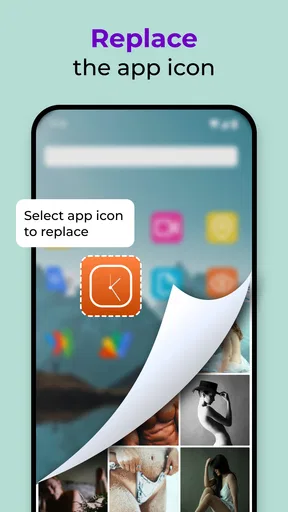
- Stealth mode hides the app icon.
Cons
- Ads might be intrusive for some users.
- Limited free storage; premium needed.
- No cloud sync for automatic backups.
- Some features are locked behind a paywall.
- Occasional lag on older devices.
FAQs for Photo Lock App - Hide Pictures
What is Photo Lock App - Hide Pictures and how does it work?
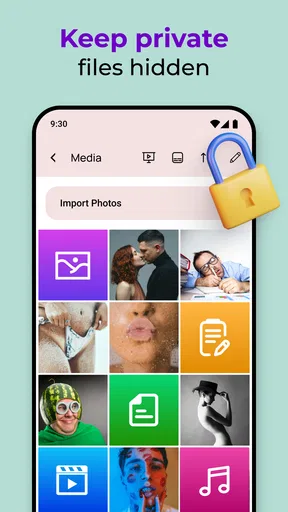
Photo Lock App - Hide Pictures is a security application designed to protect your private photos and videos from unauthorized access. The app allows you to hide your media behind a secure PIN, pattern, or fingerprint lock. Once your content is imported into the app, it becomes invisible in your device’s gallery, ensuring privacy.
Is Photo Lock App - Hide Pictures secure for sensitive information?
Yes, the app provides robust security features, such as encryption and secure access via PIN, pattern, or biometric locks. However, it’s important to choose a strong and unique password to maximize security. Regularly updating the app and following best practices for digital safety will further enhance protection.
Can I recover my data if I forget my password?
Photo Lock App - Hide Pictures offers password recovery options, typically through a registered email or security questions. It is crucial to set these up when configuring the app. In case these options aren’t configured, recovering your data might be challenging, so ensure you follow the setup instructions carefully.
Does Photo Lock App - Hide Pictures affect the original quality of my media?
No, the app does not compress or alter the original quality of your photos and videos. It securely stores them in their original format, ensuring that you can access them with the same quality whenever needed. The app’s main function is to hide and protect, not modify your media.
Are there any limitations on the number or size of files I can hide?
Photo Lock App - Hide Pictures generally allows you to hide an unlimited number of files, although this might depend on your device’s storage capacity. While there are typically no size restrictions, larger files may take longer to encrypt and hide. Checking app specifications for any specific limitations is recommended.


